
 23 March 2026
 Share
Share
1
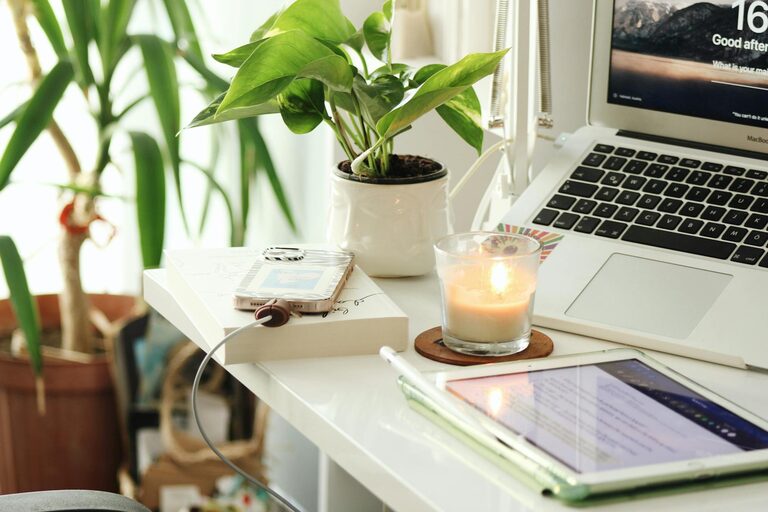
Creating a home workspace that is both cozy and productive can greatly enhance your work-from-home experience. Whether you’re freelancing, running a small business, or simply need a dedicated spot for occasional tasks, the right setup can make a big difference. This guide offers practical tips to help you craft a comfortable and efficient home office.
A cozy workspace encourages you to spend focused time on your tasks without feeling stressed or distracted. Comfort doesn’t mean distractions; it means designing your environment to promote well-being and concentration. When you’re comfortable, you’re more likely to stay motivated and creative.
Start by selecting a place in your home that is quiet and away from heavy foot traffic. This might be a spare room, a corner in your bedroom, or even a section of the living room. The key is minimizing distractions.
Ideally, choose a spot near a window where you can enjoy natural light. Sunlight can boost your mood and energy levels, but make sure to manage glare using curtains or blinds.
Your desk should be spacious enough to hold your computer, notebooks, and any other essentials. Choose an ergonomic chair that supports your back and encourages good posture. Investing in adjustable furniture allows you to customize your setup for long hours.
Keep your workspace organized with shelves, drawers, or filing cabinets. Clutter can reduce productivity, so having designated places for your items helps maintain focus.
Incorporate items like a soft throw blanket, cushions, or a small rug to add warmth and texture. Plants also create a welcoming atmosphere and improve air quality.
Choose paint or decor in soothing colors such as soft blues, greens, or neutrals. These shades can help reduce stress and create a serene environment.
Use cable organizers or clips to keep cords tidy and prevent tangling. A clean space helps clear your mind and reduces hazards.
Ensure your computer, monitor, keyboard, and mouse are set up for comfort and efficiency. Consider investing in a standing desk converter to alternate between sitting and standing.
Use a mix of overhead lighting and desk lamps to avoid eye strain. Adjustable lamps allow you to focus light where you need it most.
Choose bulbs that mimic natural daylight or have warm tones to create a cozy ambiance.
Define your work hours and communicate them to family or roommates. Keeping work and personal time separate helps maintain balance.
Remember to step away from your desk regularly to stretch, hydrate, and refresh your mind.
Arrange frequently used items nearby to avoid unnecessary interruptions.
Photos, quotes, or artwork that inspire you can boost morale and keep your focus sharp during long work sessions.
Keeping track of tasks visually helps organize your day and monitor progress.
A cozy and productive home workspace is achievable with thoughtful choices in location, furniture, organization, and atmosphere. Focus on comfort and efficiency equally to create an environment where you can thrive. Experiment with what works best for you and remember that even small changes can lead to big improvements in your workday.
By investing time into your home office setup, you’re not just improving your workflow—you’re also caring for your well-being. Happy working!
